Google is transforming Chrome from a simple browser into an active digital assistant. With a new sidebar, automatic shopping tools, image editing, and deep Google service integration, Chrome is starting to do the work instead of just showing pages.
Google says Chrome is about to change in a big way. The upcoming update goes far beyond visual tweaks or performance improvements. Instead, Chrome is becoming a browser that actively helps users research, plan, compare, and even complete everyday tasks – all without constantly jumping between tabs.
The update is rolling out on macOS, Windows, and Chromebook Plus, with some features initially limited to users in the United States.
Gemini moves into Chrome’s sidebar
The most visible change is where Gemini now lives. Instead of opening in a separate window, it’s embedded directly into Chrome’s sidebar, staying accessible over any open tab.
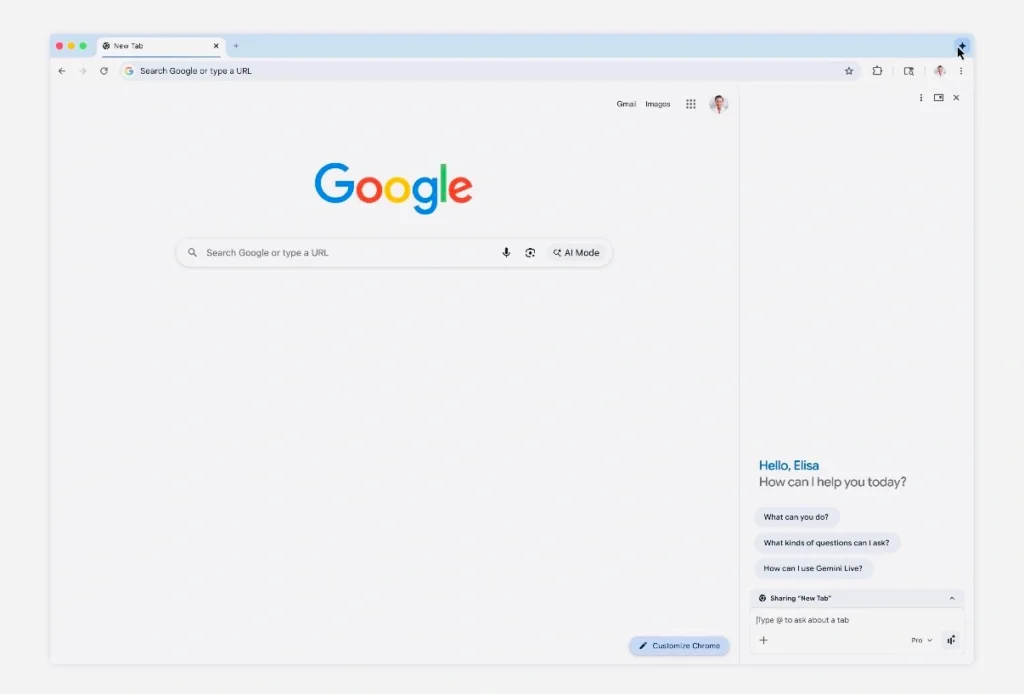
That small shift makes a big difference. You can keep reading an article, browsing a store, or checking flight options while simultaneously asking questions, comparing information across sites, or pulling quick summaries – without losing your place or breaking your flow.
It’s especially useful for research-heavy tasks like comparing product reviews, planning trips, or scanning long pages for key points.
Image editing and visual tools, right in the browser
Chrome now supports an image tool called Nano Banana, letting users work with visuals directly on the page.
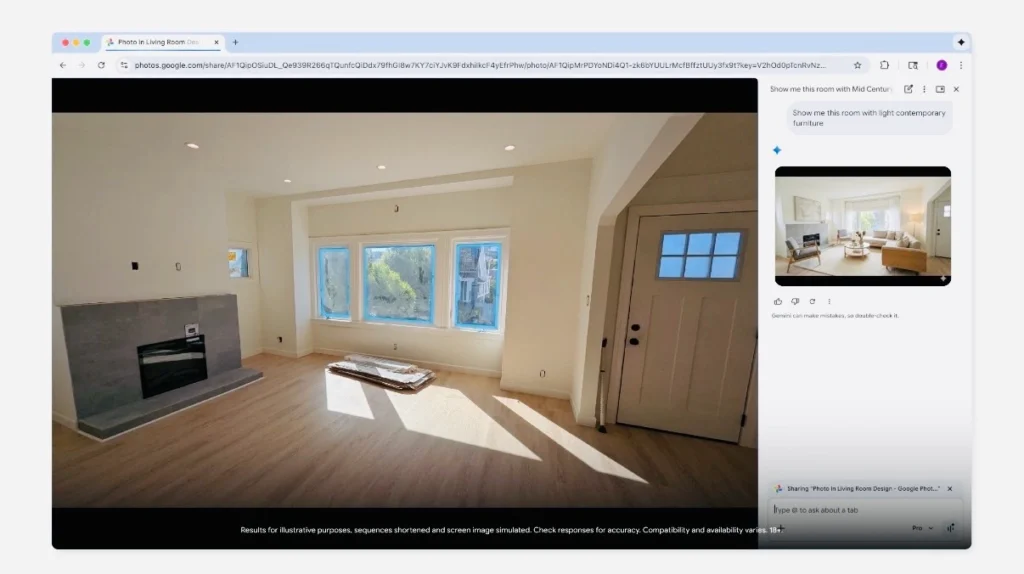
You can edit images without downloading files or opening third-party apps. It’s designed for practical use cases – mocking up interior design ideas, creating simple visuals for presentations, or turning online data into quick infographics.
Everything happens inside the browser, which keeps the process fast and surprisingly friction-free.
Deep integration with Google Services
Gemini in Chrome connects tightly with Google’s own ecosystem. This includes:
- Gmail
- Google Calendar
- YouTube
- Google Maps
- Google Flights
- Google Shopping
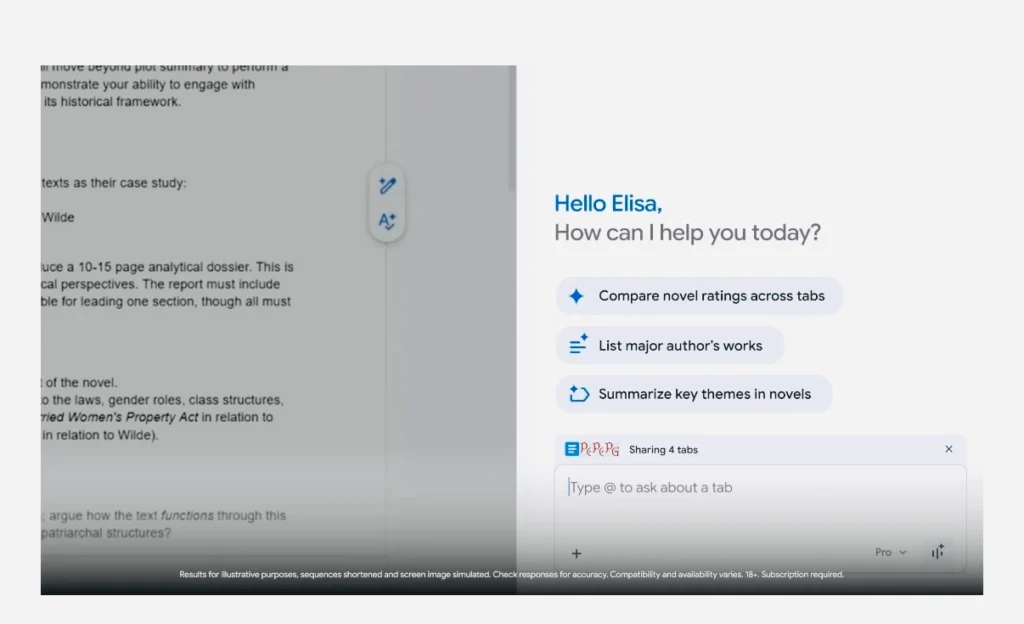
With permission, the assistant can pull context from emails, calendar events, or saved plans. That means it can help draft messages, surface relevant travel details, suggest routes, or find products based on what you’re already working on.
All integrations can be managed and limited through Gemini’s settings, giving users control over what’s connected.
Auto Browse: Chrome that can do the clicking for you
For U.S. users subscribed to AI Pro and Ultra plans, Google is introducing a new feature called Auto Browse.
This turns Chrome into something closer to a task-runner than a traditional browser. Auto Browse can:
- search for hotels and flights
- fill out forms
- gather documents
- review bills and subscriptions
- handle routine online tasks
It also supports visual input. Show it an image, and it can identify similar products, compare prices, apply discounts, add items to a cart, and stay within a budget you define.
Purchases and other sensitive actions always pause for user confirmation before anything is finalized.
Built with safety in mind
Google emphasizes that these features were designed with safeguards from the start. Any action involving payments, public posting, or account changes requires explicit approval.
Automatic workflows stop when confirmation is needed, ensuring users stay in control even when Chrome is doing most of the heavy lifting.
The first step toward a more active WEB
Google describes this update as an early move toward an “agent-driven web.” In practice, that means browsers stop acting like passive viewers and start functioning as helpers saving time on repetitive tasks and reducing friction across everyday online activities.
Subscribe!
Subscribe to our newsletter and be in touch with high-tech news
Top Read
A LEGO game wants RTX 3080: Why LEGO Batman’s system requirements shock everyone

MSI launches XpertStation WS300 with Nvidia GB300 Blackwell: up to 496GB RAM and supercomputer hardware in desktop format

Cooler Master’s G360 Dragon Shadow SE Puts an Infinity Mirror on Your CPU Block for $66

EPOMAKER RT100 PRO Ships With a Screen You Can Rip Out for Extra Keys

Intel Core Ultra 7 270K Plus and Core Ultra 5 250K Plus: 24 Cores, 5.5 GHz, $299
